

Most flower shops treat their Google Business Profile like a billboard they hung once and forgot about. They uploaded a dozen bouquet photos three years ago, maybe collected a handful of reviews from loyal regulars, and now wonder why the shop two neighborhoods over keeps showing up first when someone searches "same day flower delivery near me."
Local SEO for florists rewards consistency, not perfection. Google's local ranking signals lean heavily on recency and engagement — fresh photos, steady review flow, profiles that look actively maintained. And florists are uniquely positioned to feed those signals because you make new, photogenic product every single day. The problem isn't lack of material. It's that nobody has a system, so it never happens during a busy week.
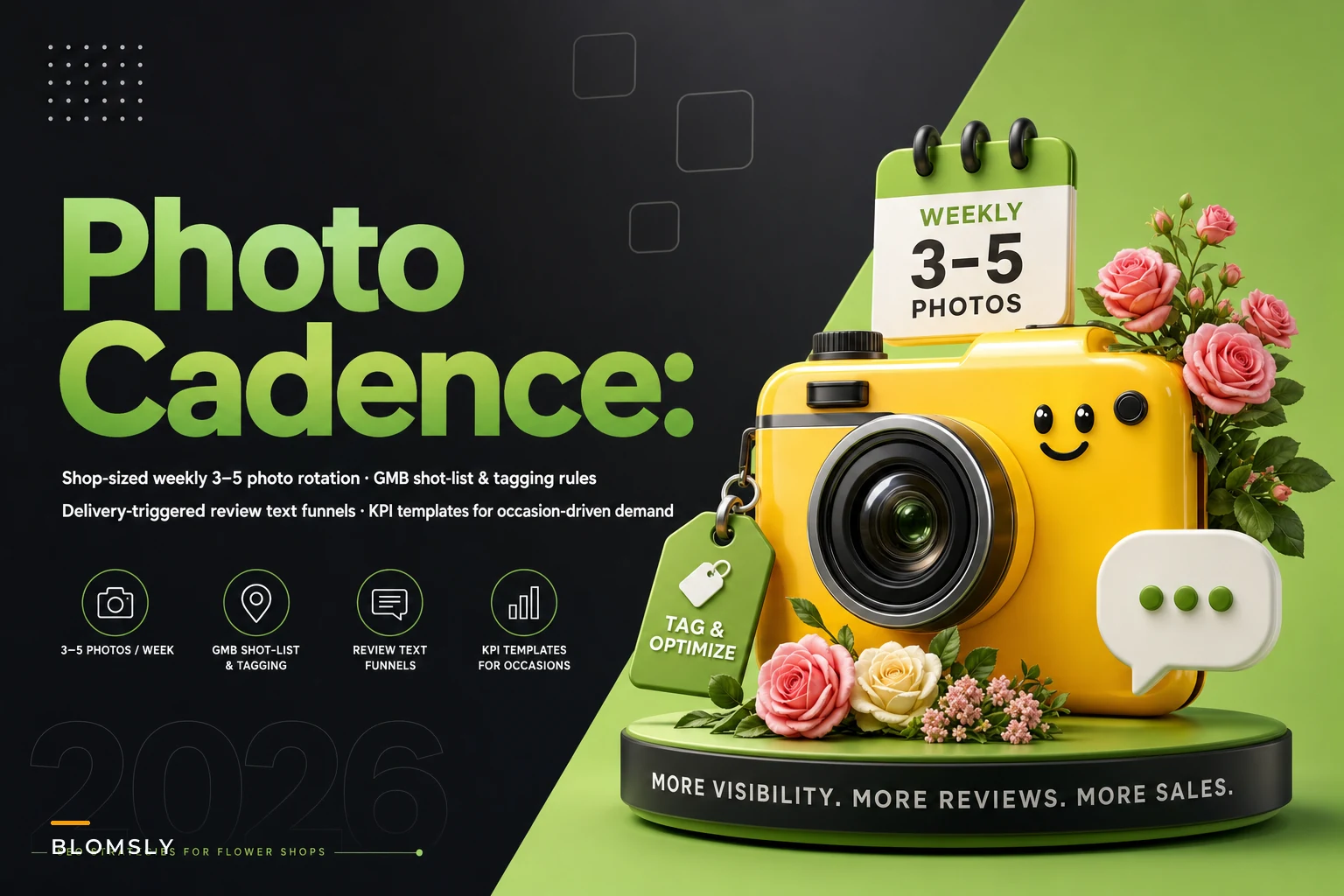
This post is about building that system — a weekly photo cadence that takes about fifteen minutes, tagging rules that help Google understand what you sell, review-request scripts tied to actual deliveries, and a simple way to measure whether any of it moved the needle.
Why florist profiles go stale (and why it quietly kills discovery)
There's a pattern that plays out constantly: a shop uploads a big batch of photos during a slow January, feels productive, and then doesn't touch the profile again until the next slow January. Meanwhile Google's algorithm interprets a dormant profile as a less relevant result — especially for high-intent, occasion-driven searches where it wants to surface businesses that look alive and responsive.
The seasonal angle makes this worse for florists than for almost any other local business. Someone searching "fall centerpiece" in October doesn't want to scroll your profile and see a Valentine's arrangement from last February as the top image. The mismatch between what's searched and what's shown costs you the click before you ever had a chance.
There's also a subtler issue. When all your photos are studio-perfect catalog shots, Google and customers both struggle to trust them. Profiles with a mix of real arrangements, behind-the-counter shots, and genuine delivery moments tend to read as authentic — and authenticity correlates with engagement, which correlates with ranking. Overly polished-only profiles underperform mixed ones more often than shop owners expect.
The weekly photo cadence (built for people who don't have time)
The entire point is low effort. If your photo routine requires a photographer, a lightbox, and an afternoon, it will not survive Mother's Day week. It needs to survive the worst week of your year, or it's useless.
Never miss a bloom or a delivery.
Blomsly helps you manage orders, track stock, and schedule deliveries effortlessly.
- Unified order management
- Real-time inventory tracking
- Delivery scheduling & notifications
No credit card required
So the cadence is simple: one designated person, one short window, every week, same day. Most shops land on Monday or Tuesday morning when fresh product is in and the counter looks good. The target is three to five photos a week. That's it. Over a year that's 150+ fresh images flowing into your profile, which is dramatically more than the vast majority of competing shops manage.
The rotating weekly shot list
To avoid the "what do I even photograph" paralysis, rotate through a fixed list so each week has a theme already decided:
-
Hero arrangement of the week — your best current design, shot in natural light near the window.
-
Occasion-forward piece — whatever occasion is 2–3 weeks out (not the current one). Shooting ahead means the photo is live before people start searching for it.
-
Behind-the-counter reality shot — a designer's hands wrapping stems, the cooler stocked, a delivery van loaded. These humanize the profile.
-
Seasonal close-up — a tight shot of whatever bloom is peaking right now. These rank surprisingly well for specific flower searches.
Rotate two or three of those each week. You don't need all four. The discipline of shooting the occasion ahead of demand is the single highest-leverage habit here — it's the difference between showing up when the search volume hits versus scrambling after.
Seasonal rotation, not just addition
Adding photos isn't enough. You also need to demote off-season images. When a season turns, pull the previous season's hero shots out of featured positions. You don't have to delete them, but the first several images a searcher sees should match the current and upcoming occasion. A profile showing peonies in December feels off even if the arrangement is beautiful.
| Window | Feature these up front | Start shooting ahead for |
|---|---|---|
| Jan–mid Feb | Valentine's reds, romantic | Spring / Easter |
| Late Feb–April | Spring pastels, Easter, Mother's Day teasers | Mother's Day, graduations |
| May–June | Mother's Day, graduation, wedding season | Summer / sympathy staples |
| July–Aug | Bright summer, everyday arrangements | Fall tones |
| Sept–Oct | Fall centerpieces, Thanksgiving | Winter / holiday |
| Nov–Dec | Holiday, poinsettia, winter whites | Valentine's |
The table isn't gospel — your region and customer base shift the timing. The principle holds: feature the now, shoot for the soon.
The discipline of shooting the occasion ahead of demand is the single highest-leverage habit here — it's the difference between showing up when the search volume hits versus scrambling after.
A simple visual helps keep the steps clear.
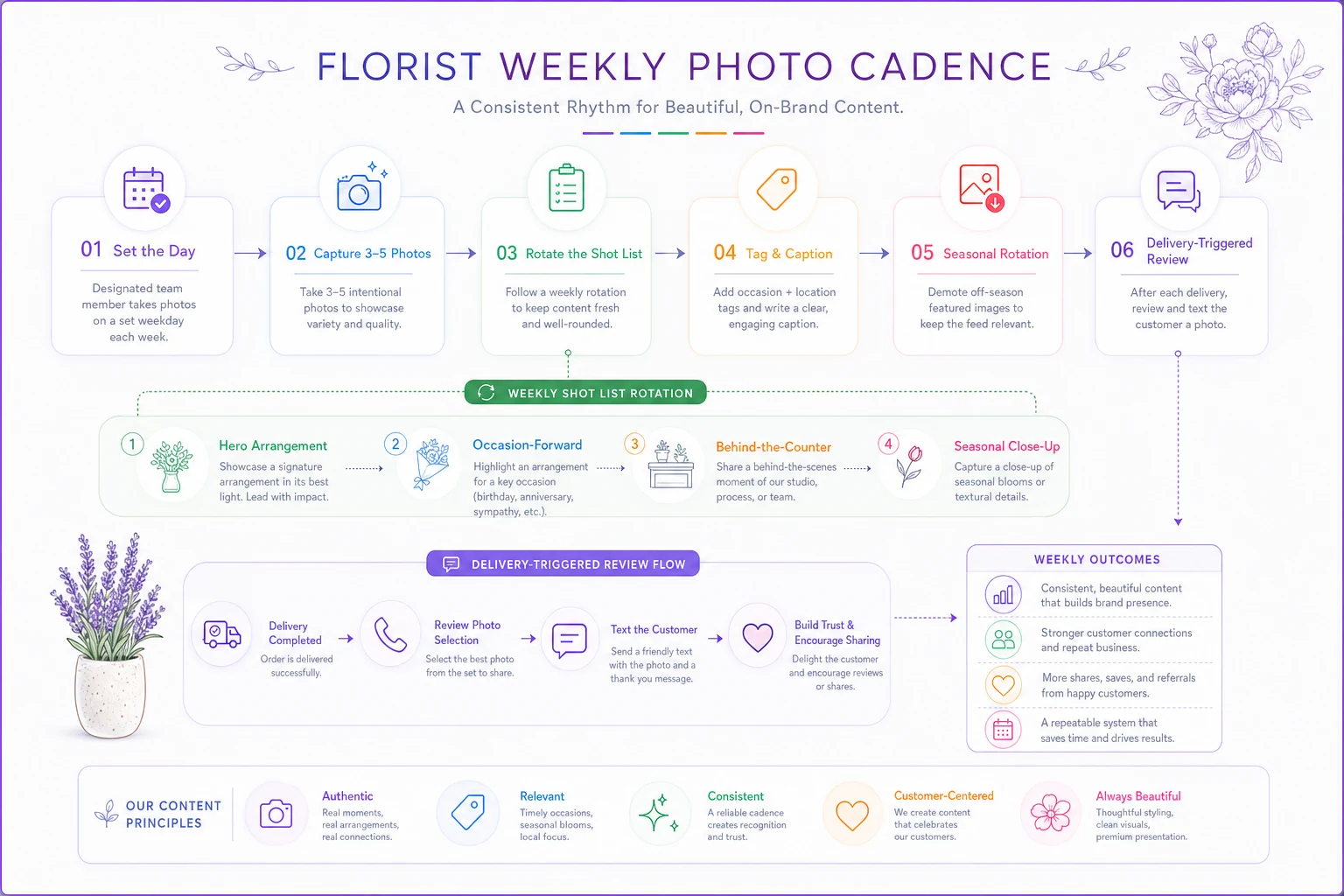
This lays out the weekly photo and delivery-triggered review steps in order.
Tagging and captions that actually help Google
Dumping photos with no context is a missed opportunity. Google reads the text around images, and your file naming and captions give it something to work with. Most shops do literally nothing here.
A few rules that are easy to enforce:
-
Name the file before upload.
fall-centerpiece-oak-park-delivery.jpgbeatsIMG_4471.jpg. It takes two seconds and it's a signal competitors ignore. -
Caption with occasion + location when natural. "Sympathy arrangement delivered to [neighborhood] this morning." Don't keyword-stuff — write like a human who happens to mention what and where.
-
Use the correct photo category inside the profile (interior, product, team, etc.). Miscategorized photos get less reach.
-
Geo-context in captions beats geo-tagging gimmicks. Mentioning real neighborhoods you serve does more than any metadata trick.
The mistake is treating captions as decoration. They're context. A photo captioned with the occasion and the area it was delivered to is doing quiet SEO work every time someone in that area searches.
Review funnels tied to deliveries, not vague "ask everyone" hope
Reviews are the other half of local ranking, and florists sit on a goldmine they rarely tap: every delivery is a moment of delight with a clear, time-stamped trigger. The problem is timing and friction. Shops either forget to ask, ask at the wrong moment, or ask in a way that creates unnecessary work for the customer.
The fix is a timed request tied to the delivery event. Not a monthly blast. Not a sign by the register. A message that goes out at the emotional peak — shortly after the recipient or sender knows the flowers landed well.
The timing that works
For delivered arrangements, the sweet spot is roughly two to twenty-four hours after confirmed delivery. The sender is often the best person to ask — they chose you, they care about the impression, and they've usually just gotten a thank-you text from the recipient. That's your window. Waiting three days means the moment is gone.
For in-store pickups and walk-ins, the next morning tends to work better than asking while the transaction is still happening.
Scripts you can actually use
Keep it short, specific, and make leaving the review a one-tap action with a direct link.
Delivery sender (text), same day: > "Hi [Name], it's [Shop]. So glad we could help with today's delivery 🌸 If you have 20 seconds, a quick Google review really helps our little shop: [link]. Thank you!"
Pickup / walk-in (text or email), next morning: > "Thanks again for stopping in yesterday, [Name]! If the arrangement made someone's day, we'd be grateful for a short review here: [link]."
Recurring / subscription customer (less frequent, more personal): > "[Name], you've been with us a few months now and it means a lot. Would you mind sharing your experience? [link] — it genuinely helps other locals find us."
Two things make or break these. First, the direct link. If someone has to search for your shop and find the review button themselves, you lose most of them. Second, don't over-ask. One request per occasion, maybe a single gentle nudge. Shops that spam review requests get ignored — and a flood of requests on the same day can look unnatural to Google anyway.
Routing good and bad experiences differently
Build a small branch into the flow. If a customer had a problem, the message should route to you for recovery, not straight to Google. A simple "How did we do?" with an easy response path gives unhappy customers a private channel and sends happy ones to the public review. This isn't about hiding negatives — it's about resolving issues before they become one-star surprises, and it's probably the single biggest lever on your average rating over a full year.
This ties directly into keeping customers coming back, which we covered in the customer lifecycle playbook for local flower shops. Review timing and lifecycle touchpoints are really the same conversation — both are about reaching the customer at the right emotional moment.
A real scenario
A single-location shop doing roughly 330–360 deliveries a month had a decent reputation but a dead profile: around 40 lifetime reviews, last photo upload more than a year old, and almost no presence in the local map pack for anything beyond their exact shop name.
They started the Monday photo cadence — three to five shots a week, occasion shot ahead of demand — and turned on a delivery-triggered review text that went out the same afternoon with a direct link. No paid ads, no new website.
Over about four months, review volume went from essentially flat to somewhere around 12–18 new reviews a month, and the profile photo count more than tripled. The more interesting shift was in discovery: searches where people found them via category and occasion rather than by name climbed noticeably, and they started appearing in the map pack for a handful of neighborhood + occasion queries they'd never ranked for before. Nothing explosive. Just steady, compounding improvement that kept building because the system held up through their busy weeks.
Measuring whether it's actually working
Doing the work without checking the signal is how shops burn out on marketing. You don't need a complicated dashboard — just a once-a-month glance at a few numbers pulled from your Google Business Profile insights.
Track these monthly:
-
Discovery vs. Direct searches — the ratio of people finding you by category/occasion vs. by name. Rising discovery means local SEO is working.
-
New reviews per month — and the trend line, not just the total.
-
Average rating movement — watch the direction.
-
Profile actions — calls, direction requests, website clicks from the profile.
-
Photo views — if your fresh photos are getting significantly more views than the old batch, the cadence is earning attention.
A simple monthly KPI template:
| Metric | This month | Last month | 3-month trend |
|---|---|---|---|
| Discovery searches | |||
| Direct searches | |||
| New reviews | |||
| Avg rating | |||
| Calls from profile | |||
| Website clicks | |||
| Photo views |
Fill it in once a month. Five minutes. The point isn't precision — it's seeing whether the line goes up over a quarter. Occasion-driven demand is seasonal, so compare to the same period last year when you can, not just the previous month.
When this makes sense — and when it doesn't
This system works well if you deliver regularly, have at least one person who can own a fifteen-minute weekly habit, and you're in a competitive enough market that a few map-pack positions actually matter. For most local florists, that's the whole description.
When it's a bad fit: if your fundamentals are broken. If your arrangements regularly disappoint, more reviews will just surface the problem faster. Fix the product and delivery reliability first. A review funnel pointed at a struggling operation accelerates the damage.
Who should probably skip the heavy version: a tiny by-appointment studio with no walk-in traffic and a wedding-only model. Your growth comes from referrals and relationships, not map-pack discovery, so the photo cadence matters more than review volume for you.
One more honest caveat: fresh photos and steady reviews get people to click. What happens after the click is a separate problem. If your product pages don't convert the visitor you worked to attract, the SEO effort leaks out the bottom — which is exactly why it's worth pairing this with the work on occasion-focused floral product pages that actually convert.
Making it stick
The reason these systems fail isn't that owners don't understand them — it's that they live in someone's head and evaporate during peak weeks. The ones that work get built into a repeatable routine: a recurring Monday calendar block for photos, a review message that fires automatically off the delivery event so no one has to remember, and a monthly ten-minute look at the numbers.
Whether you run that review trigger through your POS, a scheduling tool, or an operational platform tied to your delivery workflow, the mechanism matters less than the discipline. Tie the ask to the event, keep the photos flowing every week, and watch the discovery numbers over a full season rather than a single month.
The shops that win local search aren't the ones with the biggest budgets.
They're the ones whose profiles simply never go quiet.
Ready to grow your flower shop business?
Join 500+ flower shops using Blomsly to save time, reduce errors, and delight customers with fresh blooms.