

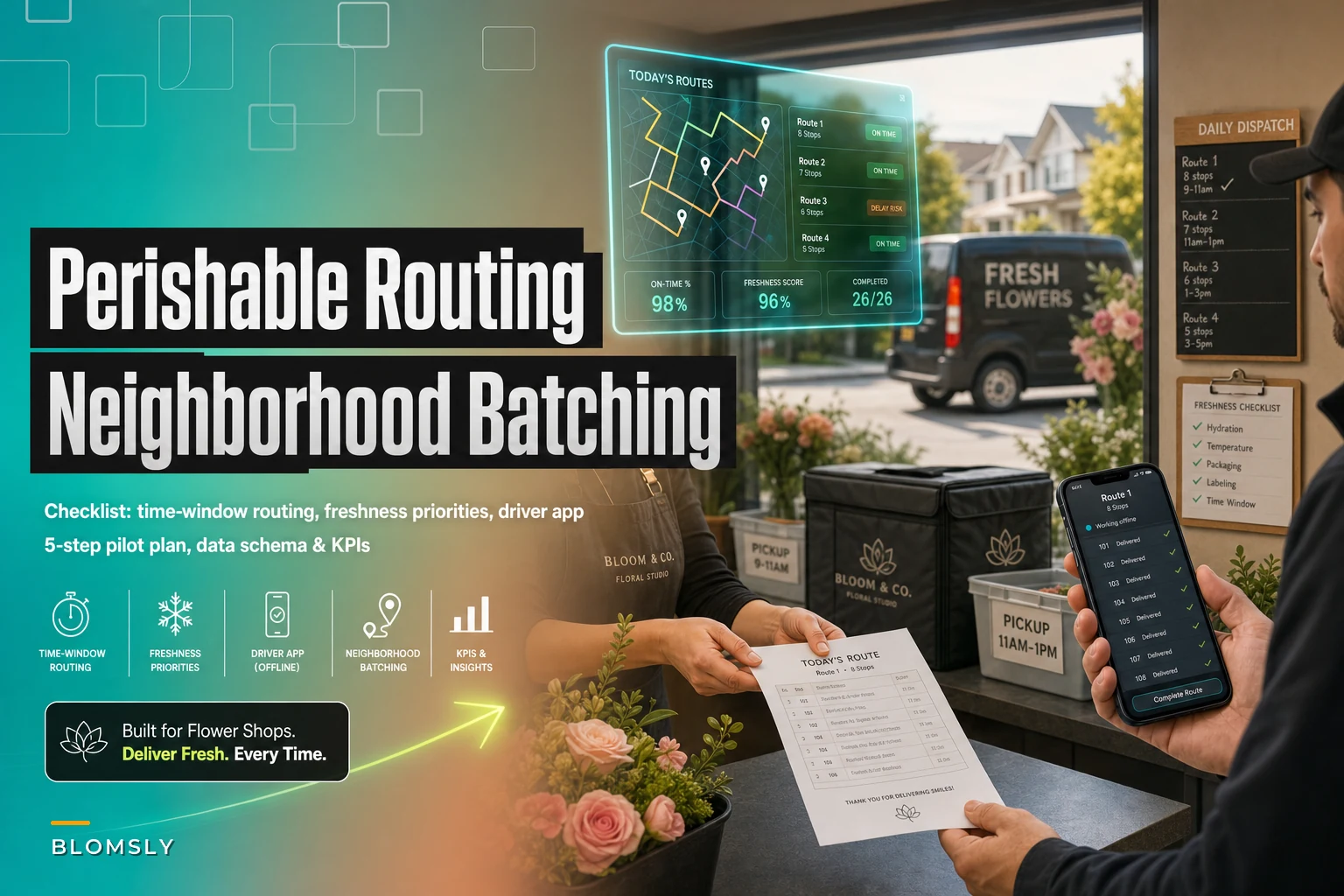

If you've already worked through our delivery routing heuristics for local florists, you know the logic: cluster by neighborhood, respect time windows, keep perishables moving so they arrive looking the way they left the cooler. The theory isn't the hard part anymore. The hard part is finding a tool that actually runs those heuristics without turning your morning into a software project.
That's where most florists get stuck. They either keep doing it manually on a whiteboard, or they buy something built for pizza chains and parcel couriers — software that has absolutely no concept of "this arrangement wilts if it sits in a hot van past 1pm." Both roads waste money.
This post is narrow on purpose. It's about choosing and piloting a lightweight routing tool that handles the florist-specific stuff — time windows, freshness priorities, offline driver access — without becoming a six-month implementation. No broad software buyer's guide. Just the checklist, a pilot plan you can finish in a few weeks, the data you need to export, a couple of vendor examples, and the numbers worth tracking.
The feature checklist that actually matters for florists
Most routing tools look identical in a demo. They all draw pretty lines on a map. What separates a usable one from a frustrating one is a short list of features that generic logistics software usually skips entirely.
-
Time-window routing — The tool must let you assign hard and soft delivery windows per stop (e.g., "funeral home by 10:30am, no exceptions" vs. "residential, anytime before 5pm") and build routes that respect them. Non-negotiable. A route that's fuel-optimal but misses a funeral is a failure.
-
Freshness / priority flags per order — You need a way to tag an order as high-perishability so it gets front-loaded in the run. A hand-tied bouquet of open garden roses should not be the last stop on a four-hour summer route.
-
Simple driver app — Your driver is often a part-timer or you. The app should show the stop list, navigation, delivery notes, and a photo-proof option without requiring a training session. If it needs a manual, skip it.
-
Offline support — Delivery zones have dead spots
rural roads, parking garages, apartment stairwells. The driver app must cache the route and let drivers mark deliveries complete offline, then sync when signal returns.
-
Manual override on auto-routing — You know things the software doesn't ("the Hendersons never answer, leave it with the neighbor"). You need to drag a stop, lock a sequence, or split a route by hand.
-
Delivery proof capture — Photo + timestamp + optional signature. This single feature kills most "I never got my flowers" disputes.
-
Clean POS/e-commerce import — Either a direct integration or a reliable CSV import. If you're retyping addresses every morning, you've just moved the bottleneck, not removed it.
One pattern worth naming: shops almost always over-weight the map optimization quality and under-weight the driver app. In actual day-to-day operation, a slightly worse route with a dead-simple driver experience beats a theoretically perfect route your driver fights with at every stop.
A side-by-side of what you're really comparing
Not every feature carries equal weight depending on your volume and delivery radius. This breakdown helps you figure out what to prioritize before you sit through a single demo.
Never miss a bloom or a delivery.
Blomsly helps you manage orders, track stock, and schedule deliveries effortlessly.
- Unified order management
- Real-time inventory tracking
- Delivery scheduling & notifications
No credit card required
| Feature | Why it matters for florists | Who needs it most |
|---|---|---|
| Time-window routing | Protects funeral, wedding, and business-hour deliveries | Everyone; critical for event-heavy shops |
| Freshness priority flags | Keeps delicate stems out of the back of a hot van all afternoon | Shops with summer heat or 3+ hour routes |
| Offline driver app | Prevents lost delivery confirmations in dead zones | Rural/suburban delivery areas |
| Photo proof | Cuts "never delivered" disputes and redeliveries | High residential-delivery shops |
| Manual override | Lets local knowledge beat the algorithm | Small shops with repeat customers |
| POS integration | Removes daily data re-entry | Anyone doing 15+ deliveries/day |
Honest read: if you're running fewer than about 10 deliveries a day in a tight radius, you may not need much more than basic route sequencing and a driver app. The real payoff from routing software shows up once you're consistently juggling 15–40 stops with mixed time windows — that's where manual planning starts eating an hour of someone's morning and still produces mistakes.
The 5-step pilot plan
Don't roll a new tool out across every delivery day and hope for the best. Run a contained pilot so you can measure it against your current whiteboard-or-spreadsheet process. This fits in roughly three to four weeks.
-
Pick one representative week and baseline it before you change anything. For five delivery days, record: number of stops, total drive time, miles if you can get them, how long route planning took, and any missed windows or redeliveries. You can't prove the tool helped if you never measured the old way. Most shops skip this step and then can't justify the subscription later.
-
Export your data and confirm the import works cleanly. Pull a day's orders from your POS or e-commerce platform (schema below) and run it through the tool's import. Look specifically for mangled addresses, dropped delivery notes, and lost time windows. If the import is messy on day one, it'll be messy forever — fix it now or move on.
-
Run parallel for three to five days. Build routes in the new tool and keep your current method side by side. Follow the software's routes on actual deliveries, but keep your manual plan as a backup. This is where you catch the tool routing a delicate order to the last stop, or quietly ignoring a hard time window.
-
Put it in a real driver's hands. The person running the route is your real evaluator. Watch them use the app on a live run — can they mark a stop delivered with one tap, snap a proof photo, and keep going when they lose signal? If your driver resists the app, the tool fails regardless of how good the maps look.
-
Compare the numbers and decide. Line up the pilot week against your baseline week. Did planning time drop? Fewer missed windows? Shorter total drive time? If the gains are marginal and the headaches are real, keep your current system. If planning time dropped meaningfully and missed deliveries fell, you have your answer.
One thing that trips shops up: they pilot during a slow week because it feels safer. Pilot during a normal week. The whole point of routing software is to handle the messy 28-stop days, not the quiet 8-stop ones.
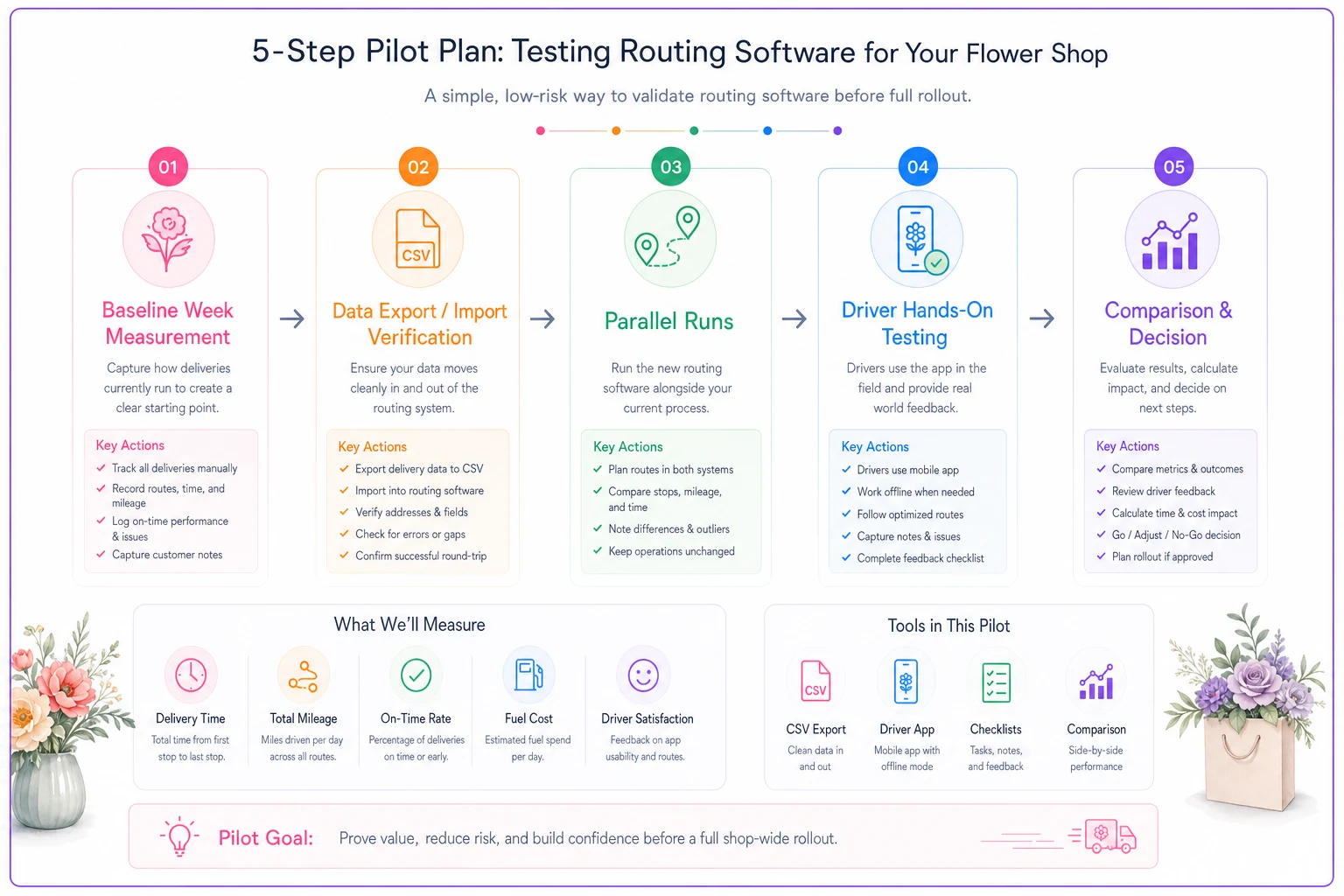
A quick visual of the pilot steps helps teams keep the scope contained and know when the pilot is complete.
The data schema: what to export from your POS or e-commerce
Routing tools are only as good as the data you feed them. The most common pilot failure isn't the software — it's a half-complete export that forces your planner back into manual cleanup every morning.
-
Order ID — ties the stop back to the actual order for lookups and disputes
-
Recipient name
-
Full delivery address — street, unit/apt, city, ZIP as separate fields if possible (helps geocoding accuracy)
-
Delivery date
-
Time window — requested earliest and latest delivery time, or an occasion flag (funeral, hospital, business) the tool can map to a window
-
Delivery instructions / notes — gate codes, "leave with front desk," "call on arrival"
-
Recipient phone — for the driver and for automated arrival texts if the tool supports them
-
Perishability / priority flag — even a simple High/Normal field based on product type goes a long way
-
Product summary — enough to know bulk/size for van loading (a 6ft sympathy spray isn't the same as a desk posy)
-
Order value (optional) — useful if you ever want to prioritize high-value deliveries
The single biggest accuracy killer is a jammed-together address field with the unit number buried in a free-text note. If your POS exports that way, build a quick cleanup step or a spreadsheet formula to split it before import. Clean address data up front removes most of the "driver couldn't find it" problems before they start.
A few routing-focused vendors to look at
Keeping this narrow — these are routing tools, not full florist management suites. The point is to get a sense of what a dedicated routing layer looks like so you can judge others against it.
-
Routific — Built around fast route optimization with time windows and a clean driver app. Strong on the "dispatcher plans, driver follows" workflow and proof-of-delivery. Good fit if your main pain is planning time and you want something drivers won't fight.
-
Circuit (Circuit for Teams) — Popular with small delivery operations. Handles time windows, delivery notes, and recipient notifications, with a straightforward app and reasonably offline-friendly behavior. A decent entry point for shops moving off a whiteboard.
-
OptimoRoute — More depth for shops with bigger or multi-driver runs: workload balancing, time windows, and planning ahead across days. Slightly more to learn, but worth it once you're consistently past 25–30 stops a day.
This isn't a ranking. The right one depends on your volume, radius, and how well your POS plays with imports. Run all three against the same exported day and you'll feel the difference within an hour.
Integration tips that save you from daily re-entry
The feature demos never show you the part that actually determines whether you keep using the tool: how orders get into it every single morning.
Prefer a native POS/e-commerce connection over manual CSV if one exists, but don't dismiss a solid CSV workflow.
-
Test the import with your messiest real orders, not clean sample data — apartment complexes, business towers, rural routes, sympathy orders with special timing. That's where imports break.
-
Decide your cutoff. Pick a daily time when the route locks (say, 8:00am for the day's runs). Late same-day orders need a clear rule: squeeze into an existing route or hold to the next run. The tool won't make that call for you.
-
Keep a manual fallback for the first month. Integrations hiccup. A simple exported order list means a bad sync day doesn't become a no-delivery day.
If orders flow in from multiple channels — walk-in, website, phone, wire service — getting them into one clean list before routing is half the battle. Centralizing that order data is the quiet prerequisite that makes everything downstream work.
When this actually makes sense — and when it doesn't
It makes sense when: you're regularly planning 15+ deliveries a day, you have mixed time windows (funerals, businesses, residential), your planner spends 30–60 minutes a morning sequencing routes, or you're fielding "where's my delivery?" calls you can't answer with proof.
It's a bad idea when: you do a handful of deliveries in a tight radius, your driver already knows every street, and planning takes ten minutes. At that scale, a subscription and a learning curve buy you very little. Use the manual heuristics from the batching article and revisit when volume grows.
Who should wait: shops with messy, inconsistent order data. If addresses and time windows aren't captured reliably at order entry, fix that first. Routing software built on bad data just automates the chaos faster.
A realistic pilot outcome
A suburban shop doing somewhere around 20–30 deliveries on a normal day was planning routes by hand each morning — roughly 45 minutes of a designer's time that could've gone to arrangements. Summer afternoons were the real problem: delicate orders occasionally ended up last on a long route and arrived looking tired, leading to a handful of redeliveries a week.
During a three-week pilot, they exported orders into a routing tool, flagged high-perishability stops as priority, and set hard windows for funeral and hospital deliveries. Planning time dropped to around 15 minutes once the import was clean. Missed windows fell to near zero because the tool stopped burying time-critical stops, and front-loading the delicate orders cut the summer redelivery problem noticeably — fewer "this looks wilted" calls.
The gains weren't dramatic on paper — a shorter planning routine, a few fewer redeliveries a week, more consistent arrivals. But over a season, reclaimed design time plus fewer redeliveries made the subscription an easy keep. That's the realistic shape of a win here: not transformative, just steadily less waste and fewer mistakes.
KPIs worth monitoring
Once you're live, track a small set of numbers. Too many metrics and you'll track none. These tell you whether the tool is earning its place:
-
Route planning time per day — the clearest early win; should drop fast
-
On-time delivery rate against time windows — especially for funeral/hospital/business stops
-
Redeliveries per week — a proxy for both routing and freshness problems
-
Deliveries per route / per driver hour — efficiency as volume grows
-
"Where's my order?" calls — should fall once proof-of-delivery is in place
-
Stops with freshness complaints — ties routing sequence back to product quality
Check these weekly for the first month, then monthly. If planning time dropped and on-time delivery climbed, the tool is doing its job. If the numbers barely moved, don't let sunk cost keep you subscribed.
Final word
Picking routing software for florists isn't about finding the smartest optimization engine. It's about finding a tool that respects the two things generic logistics software ignores — delivery time windows and perishability — and puts a route in your driver's hand that they can actually follow offline.
Measure your current process first, pilot during a normal week, feed it clean data, and let the numbers decide. If planning time and redeliveries drop, keep it. If they don't, your whiteboard was fine, and that's a perfectly good answer too.
Picking routing software for florists isn't about finding the smartest optimization engine. It's about finding a tool that respects the two things generic logistics software ignores — delivery time windows and perishability — and puts a route in your driver's hand that they can actually follow offline.
Measure your current process first, pilot during a normal week, feed it clean data, and let the numbers decide. If planning time and redeliveries drop, keep it. If they don't, your whiteboard was fine, and that's a perfectly good answer too.
Ready to grow your flower shop business?
Join 500+ flower shops using Blomsly to save time, reduce errors, and delight customers with fresh blooms.